Your client books online
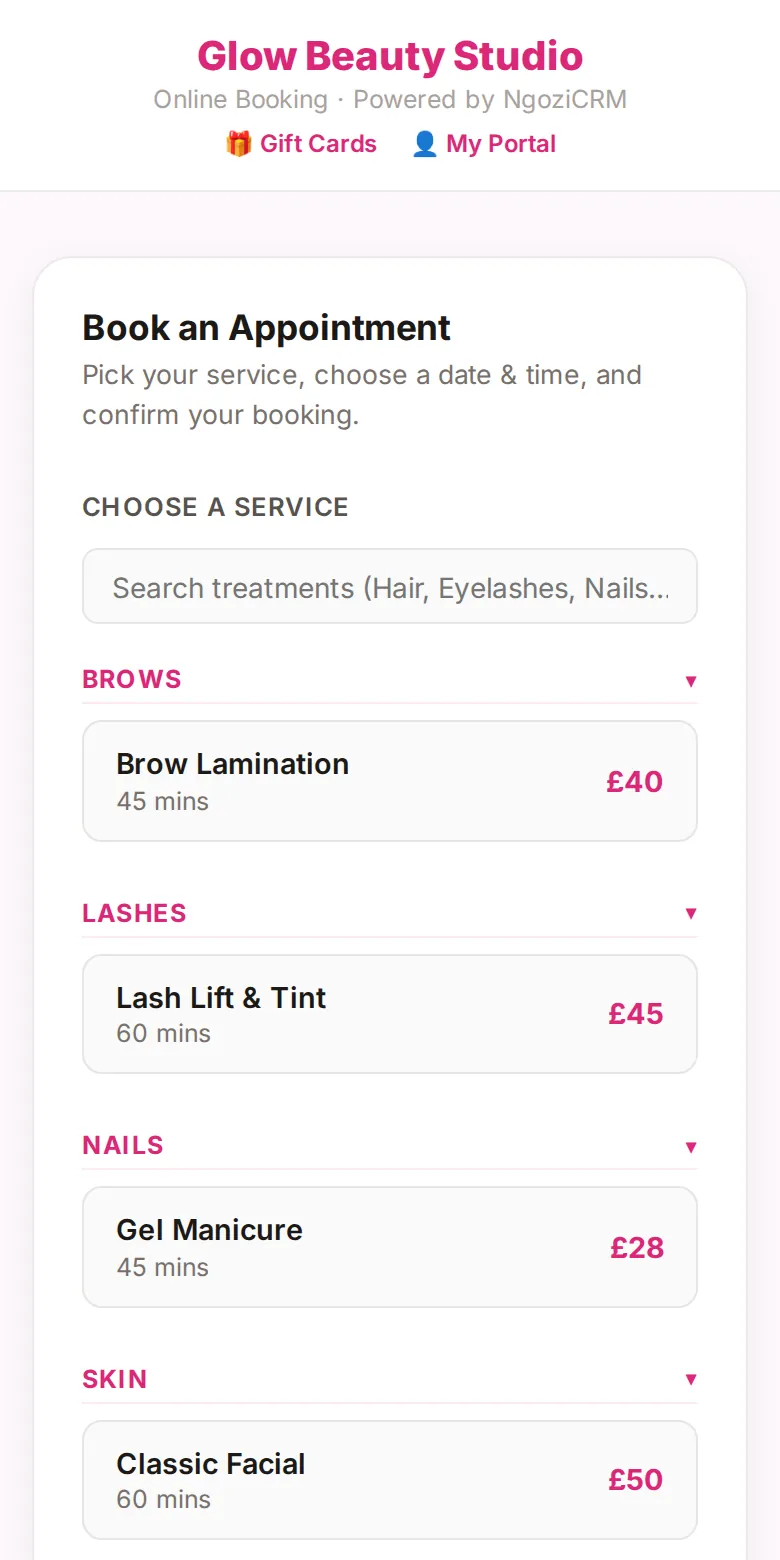
Share one link in your bio or WhatsApp status. Clients pick a treatment and a free slot themselves, any time of day, with your prices and durations shown up front.
You can ask for a deposit when they book, paid straight into your own Stripe or Paystack account.
They get a WhatsApp confirmation
The moment the booking is confirmed, your client gets the details on WhatsApp with a link to view or change it. No chasing, no screenshots of your diary.
It lands in your calendar
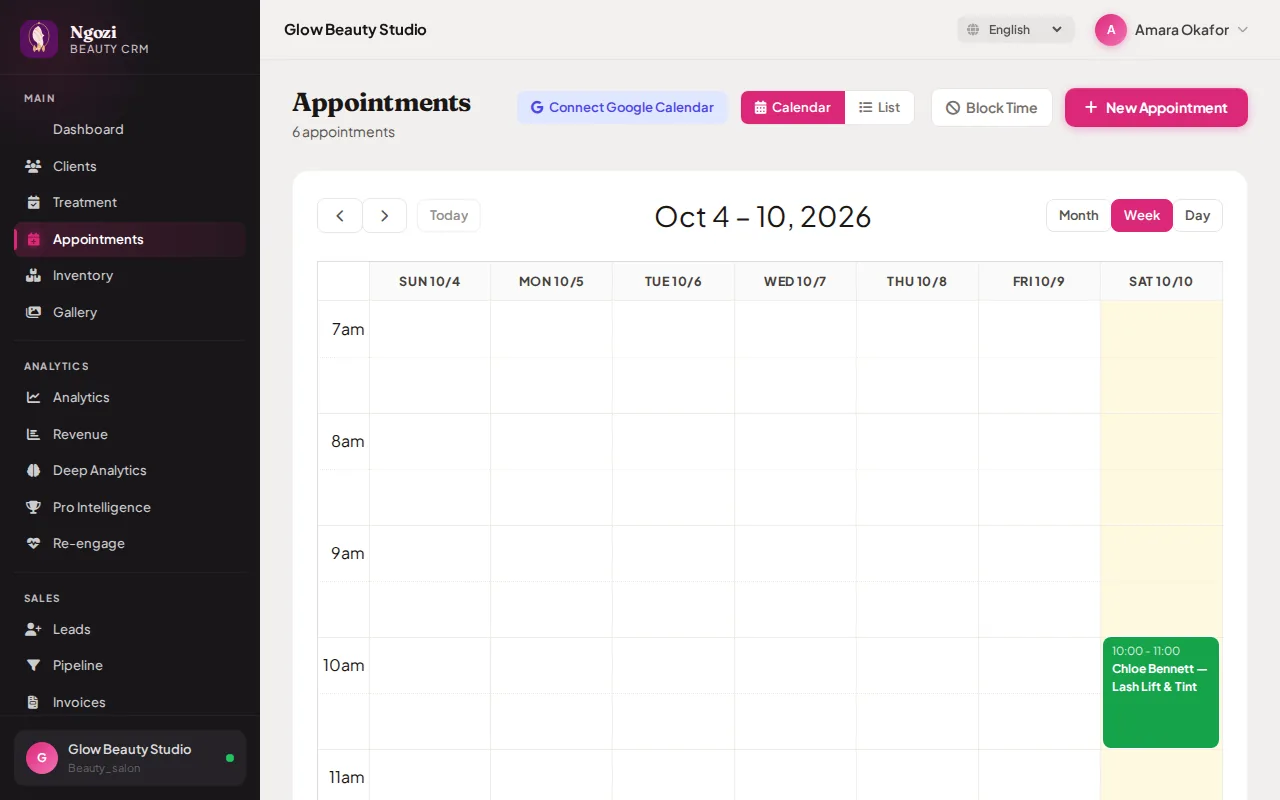
Every booking, from your page or added by you, sits in one calendar by day, week or month. Block time off, add walk-ins, and sync to Google Calendar if you like.
Know every client
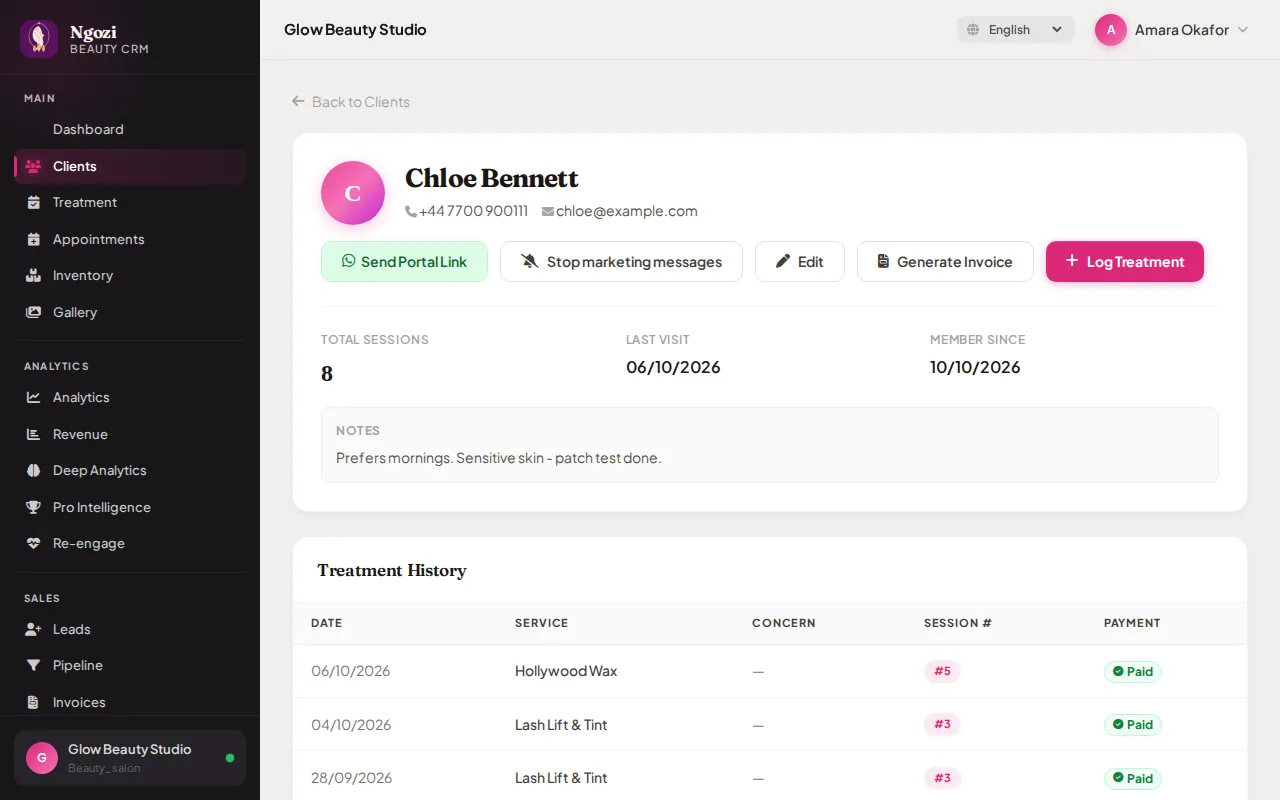
Visit history, treatments, notes like "patch test done" and what they've paid, all in one profile. Send an invoice or log today's treatment in a tap.
Reminders go out by themselves
Clients get a reminder the day before, with your cancellation policy. The day after their visit they get one polite review request, never repeated. Anyone can reply STOP to marketing and still get their booking updates.
See your business at a glance
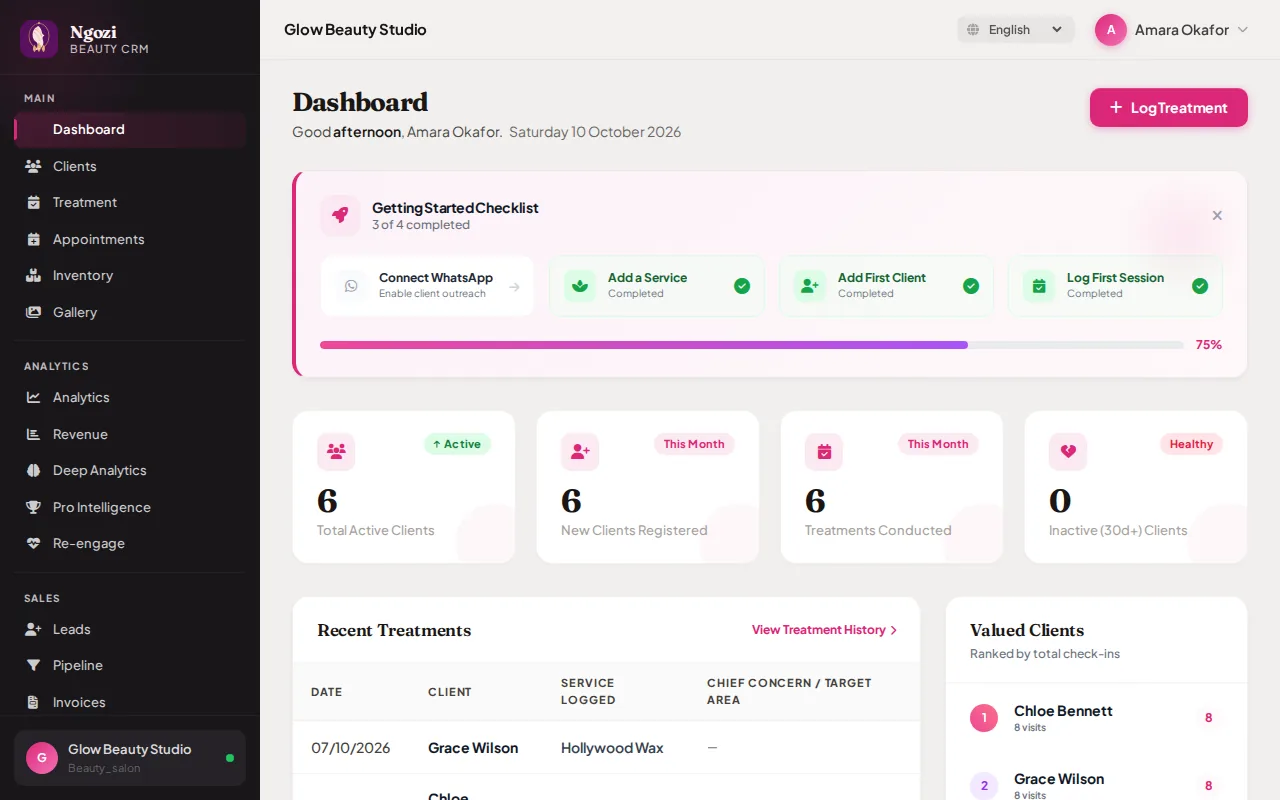
Clients, treatments this month, your most loyal regulars and who hasn't been back in a while, the moment you log in.
Screens from a demo salon with example clients. WhatsApp messages show Ngozi's standard wording.
Try it with your own salon
30 days free. No card needed. No commission on your bookings.
Start your free trial →